Blink outdoor camera: a practical guide for property monitoring
Blink outdoor camera: what it is and where it actually helps
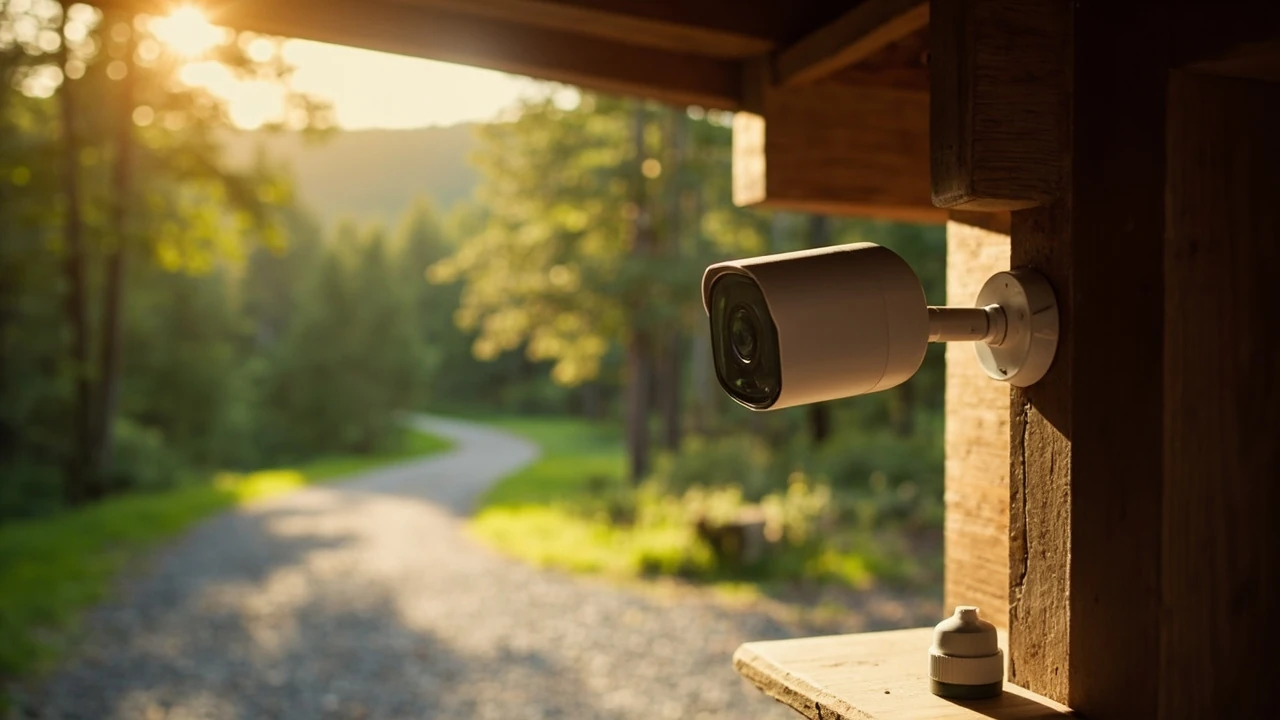
A Blink outdoor camera is a small, battery-powered home security camera made by Blink, a brand owned by Amazon. It is designed to record short clips when motion is detected and to send an alert to a phone through the Blink app. Because the camera runs on AA lithium batteries and connects over Wi-Fi, it is one of the easier devices to mount on a shed, a cabin, a gate, or a rental property without running cable.
This guide focuses on the practical questions a property owner, a small business operator, or a weekend host actually faces: where to place the camera, how to power it, how to store the clips, what to expect from motion alerts, and how it compares with similar wireless cameras on the market. The aim is to help you decide whether a Blink outdoor camera fits your site, and if so, how to set it up so it earns its keep.
Where a Blink outdoor camera works well
Battery-powered cameras earn their place where running power is inconvenient, expensive, or simply not possible. Common sense placements include:
- Above a back door or side door that is out of sight of the street, so visitors and deliveries are visible before you answer.
- Under the eave of a shed, garage, or outbuilding that you want to keep an eye on without rewiring.
- Facing a driveway gate or a long path, so you can see who arrives before they reach the door.
- Inside a vacation rental, workshop, or stable where mains power is hard to reach but Wi-Fi is available.
- On a fence post or gate post, where a wired camera would be a chore to install.
A site that already has reliable 2.4 GHz Wi-Fi at the mounting point is the simplest case. A property with thick stone walls, long distances between buildings, or a metal-clad outbuilding may need a Wi-Fi extender or a mesh node at the camera location before the signal is strong enough to stream clips reliably.
The Blink system in one minute
Before diving into placement and settings, it helps to understand the moving parts of a Blink system. The table below summarises the role of each element so the rest of the guide makes sense.
| Component | Role | Power source | Connects to |
|---|---|---|---|
| Blink outdoor camera | Records motion-triggered clips and live view | AA lithium batteries, optional USB power on some models | Sync module over proprietary radio |
| Sync module | Bridges cameras to your home network and the Blink cloud | Mains USB power | Your router via Wi-Fi or Ethernet |
| Blink app | Live view, alerts, clip review, settings, arming schedule | Your phone | Blink cloud, then camera through the sync module |
| Storage | Holds motion clips for later review | n/a | Blink cloud plan or local USB drive on the sync module |
Put simply, the camera captures, the sync module relays, the app shows you what happened, and storage decides whether you can look back. Skipping any one of those steps usually produces the kind of frustration that ends with a camera in a drawer.
First-time setup without the headaches
Most setup problems come from a weak Wi-Fi signal at the sync module, not from the camera itself. The camera only has to reach the sync module, which is normally a short hop indoors. The sync module has to reach your router, which is where most home networks are stretched.
- Install the Blink app on your phone and create an account, then allow notifications when prompted so alerts are not silently blocked.
- Plug the sync module into power near your router for the first setup, then move it later if you need a stronger placement.
- Add the sync module to your account by scanning its QR code, then connect it to your 2.4 GHz Wi-Fi network; 5 GHz is not supported.
- Insert fresh AA lithium batteries into the camera, not alkaline, and pair it with the sync module from the same screen.
- Name the camera after its real-world position, such as “Back gate” or “Driveway”, so alerts are useful the moment they arrive.
- Mount the camera temporarily with painter’s tape or a single screw, walk the scene, and check live view before fixing it permanently.
A short test walk at normal pace, then again at a slower pace, gives you a realistic sense of how the motion detection behaves. Mounting height, angle, and the chosen sensitivity all change how often the camera fires and how useful the clips end up being.
Placement choices that decide whether the camera is useful
Camera placement is the single biggest factor in how well a Blink outdoor camera performs. The hardware is consistent, but the scene you point it at determines whether you get useful clips or a flood of empty triggers.
Height and angle
A mounting height of about 2 to 2.5 metres is a reasonable starting point for a doorway or a gate. High enough that the camera is out of casual reach, low enough that faces are recognisable. Tilting the camera down by roughly 15 to 25 degrees gives a good balance between a clear head-and-shoulders frame and enough ground to see what is happening.
Distance and field of view
For facial recognition, plan on the subject being no more than 6 to 8 metres from the camera in good light. Beyond that, even a clear clip starts to look like a stick figure at a distance. If you need to cover a long driveway, the camera is better used as a presence detector, with a second unit closer to the door for identification.
Avoiding false triggers
Most complaints about any motion camera come from false alerts. A few simple choices make a real difference:
- Do not point the camera at moving foliage, busy roads, or reflective surfaces that change with the sun.
- Use activity zones to ignore a footpath, a road, or a neighbour’s yard if you only care about your own space.
- Lower sensitivity in scenes with small animals, and accept that a stray cat will sometimes appear in your clips.
- Mount the camera on a stable surface so wind does not shake it and create motion the camera will read as a trigger.
Power, batteries, and the reality of cold weather
Battery life is one of the strongest reasons to choose a Blink outdoor camera in the first place, but the published figure is a ceiling, not a guarantee. The honest expectation depends on traffic, clip length, temperature, and signal strength. The table below shows what tends to change the result in practice.
| Factor | Effect on battery life | What to do about it |
|---|---|---|
| High traffic area, such as a busy driveway | Many triggers, shorter battery life | Reduce clip length and retrigger time, raise activity zones |
| Cold winters below freezing | Lithium batteries lose effective capacity | Use AA lithium cells, not alkaline, and plan a winter swap |
| Weak signal between camera and sync module | Camera retransmits, battery drains faster | Move the sync module closer, add a mesh node, or use a USB extension |
| Live view used often | Live streaming uses more power than motion clips | Reserve live view for genuine checks rather than casual peeking |
| Busy Wi-Fi with interference | Clips take longer to upload, radio stays awake | Move router or add a 2.4 GHz access point near the sync module |
The two practical rules that follow from this are: use AA lithium batteries, not alkaline, and keep the camera within a healthy radio range of the sync module. Both are unglamorous choices, and both pay off across a full year of use.
Storage, plans, and what happens to your clips
Storage is the part of a Blink system that catches new owners off guard. The camera itself does not hold long recordings; it sends clips to the Blink cloud, and you retrieve them through the app. There are two ways to keep clips, and they are worth understanding before you buy.
| Storage option | How it works | Best for | Trade-offs |
|---|---|---|---|
| Blink cloud subscription | Clips are uploaded and stored on Blink’s servers for a retention period tied to the plan | Owners who want off-site backup and easy sharing | Monthly cost, depends on Blink’s service terms |
| Local storage via sync module | A compatible USB drive plugged into the sync module holds clips on-site | Owners who prefer not to pay a subscription or want clips kept locally | Drive can fail or be stolen with the module, no off-site backup |
| No active storage plan | Camera still records but clips are not retained after a short window | Live view only, no review needed | Little value if you actually want to look back at events |
If you want to review clips a week later, you need either an active Blink subscription or a working local USB drive in the sync module. The cloud plan is the more forgiving option for most people, because the off-site backup survives a stolen sync module.
Alerts, motion zones, and getting useful notifications
Alerts are only useful if they tell you something worth knowing. A camera that fires on every passing car quickly becomes a camera you mute, and a muted camera might as well not be there. Three settings do most of the heavy lifting:
- Motion sensitivity. Lower it in busy scenes, raise it in quiet ones, and re-test after every change.
- Activity zones. Use these to mask out a road, a footpath, or a neighbouring garden so the camera ignores motion in those areas.
- Retrigger time. The pause between clips controls how many back-to-back alerts you receive during a single event.
Notifications should be sent as a single short alert with a thumbnail, not a long burst every few seconds. A short clip preview, the camera name, and a clear path into the app is enough to make alerts worth leaving on. Deep links inside the Blink app that take you straight to the relevant clip are quietly one of the better features of the system.
Blink outdoor camera vs other wireless options
Comparison shopping is more honest when the comparison is grounded in real differences, not spec sheets. The table below compares the Blink outdoor camera with two common alternatives, focusing on the questions that matter when the camera will live outside a building.
| Aspect | Blink outdoor camera | Wired PoE camera | Other battery cameras (e.g. Arlo, Reolink) |
|---|---|---|---|
| Power | AA lithium batteries, optional USB on some models | Single Ethernet cable, no batteries | Rechargeable battery packs or swappable cells |
| Installation effort | Low, no cable run needed | Higher, needs a cable back to a switch or injector | Low, similar to Blink |
| Reliability in cold | Good with lithium cells | Excellent, no battery to worry about | Variable, depends on chemistry and housing |
| Ongoing cost | Optional cloud plan for clip retention | Usually a one-time cost for the hardware | Optional plans, similar to Blink |
| Best fit | Short cable runs, rented homes, quick installs | Permanent installations with cable access | Homes already invested in a specific brand’s ecosystem |
For a property where mains power is awkward and the camera only needs to be useful rather than forensic, the Blink outdoor camera is a reasonable middle ground. For a permanent installation where cable can be run, a wired camera usually wins on long-term reliability. For an existing ecosystem of a competing brand, sticking with that brand often makes more sense than starting over.
Privacy, law, and good neighbour practice
A camera pointed at your own property is normally fine, but the moment a lens is angled at a neighbour’s garden, a shared path, or a public footpath, the situation changes. The legal position varies by country and by local rules, so a quick check of the relevant guidance is worth doing before you commit to a placement.
A few common-sense practices help in most places:
- Aim the camera at your own property, with a slight downward tilt, so it captures the approach to a door rather than the wider street.
- Tell regular visitors, tenants, or family members that recording is in use, including where signs would normally be expected.
- Use activity zones to mask areas that are not your responsibility, especially shared driveways and pavements.
- Keep your account password strong, enable two-step verification if Blink supports it, and review active sessions from time to time.
For a deeper read on the general principles, the Wikipedia article on video surveillance gives a useful overview of how public and private space are usually treated. For the practical side of home camera placement, the UK Information Commissioner’s Office publishes plain-language guidance on domestic CCTV systems that is widely cited as a sensible baseline.
Maintenance you can actually do in a few minutes
Security cameras tend to fail quietly. The lens gets dirty, a battery runs flat, or a sync module gets nudged offline. A short, regular routine catches most of these problems before they matter.
- Wipe the lens with a soft, dry cloth every couple of months, especially after pollen season or a long dry spell.
- Check the app for sync module status and last clip timestamps; a gap in clips is a hint the camera has gone offline.
- Swap AA lithium batteries once a year for high-traffic cameras, or sooner if alerts have slowed down.
- Confirm that the camera still points where you think it does, especially after a storm or a building repair.
- Re-test the Wi-Fi signal at the sync module after any router change, since a new router often lands on a different Wi-Fi name.
Common questions new owners actually ask
The questions below are the ones that show up most often in real support threads and forum posts, gathered so the answers are easy to find in one place.
How long do the batteries really last?
Blink’s headline figure of up to two years assumes a quiet scene, a short clip length, and a healthy radio signal. In a busier location, a realistic expectation is closer to one year, and in a cold climate with frequent triggers, more like six to nine months. AA lithium cells, not alkaline, are the practical choice.
Does the Blink outdoor camera work without a subscription?
The camera itself works without a paid plan, but clip retention is limited. With a USB drive in the sync module, clips can be stored locally and reviewed through the app. Without either a plan or a working local drive, live view is available but past clips are not retained.
Will it work in rain, snow, and cold weather?
The Blink outdoor camera is rated for outdoor use, which covers typical rain and cold conditions. Like any battery-powered device, very cold weather shortens battery life. Mounting under an eave rather than in the open sky is the simplest way to keep the camera working through winter.
Can I view the camera from more than one phone?
Yes. The Blink app allows more than one account to be linked to a system, so two adults in the same household can both receive alerts and view live footage on their own phones.
What Wi-Fi do I need?
A 2.4 GHz network at the sync module is required, since the sync module does not support 5 GHz. A signal of at least two bars in the Blink app’s network test is a workable minimum, and a mesh node is often the easiest fix for a weak signal at a shed or outbuilding.
How far can the camera be from the sync module?
Useful range depends on walls, metal cladding, and the kind of construction between them. A typical detached outbuilding within sight of the sync module is usually fine; a stone barn or a metal-clad garage often needs a mesh node near the camera or a sync module placed in a central hallway closer to the outbuilding.
Can I use the camera indoors as well?
Yes. The Blink outdoor camera works indoors, and its battery-powered design can be useful for monitoring a garage interior or a workshop where running cable is awkward. Indoor-only Blink models are also available, and the choice is mainly about form factor and mounting.
What happens if the sync module is unplugged?
The camera cannot upload new clips, but it can still buffer a short burst internally until the sync module returns. The moment the sync module is back online, queued clips are uploaded. This is one of the reasons a sync module with a USB drive is a useful backup for clip retention.
Does the camera work with Alexa or Google Home?
Blink is owned by Amazon and is built to work with Alexa for arming, disarming, and showing live view on Echo Show devices. Native Google Home support is more limited, and voice routines usually require a workaround. If voice control matters, it is worth checking current compatibility on Blink’s support pages before you commit.
Is the camera easy to steal?
Any small camera mounted on the outside of a building is at some risk of theft. Mounting out of casual reach, above door height, and angled downward reduces casual grabs. Some owners add a security mount or a tamper-evident screw, and a stolen camera with an active subscription still requires the thief to know your account to do much with it.
A short checklist before you mount the camera
Before you drill a hole, run through this short checklist. It catches most of the small mistakes that show up later as frustrated forum posts.
- Test the camera in its intended spot with painter’s tape for a day, including night-time motion, before fixing it permanently.
- Confirm the sync module has at least two bars of Wi-Fi where it sits, and move it closer if not.
- Name the camera after its real-world position, not its model number, so alerts are immediately useful.
- Set motion sensitivity, retrigger time, and activity zones before you leave the camera alone for the week.
- Decide in advance whether you will use a Blink subscription or local USB storage, and have the right drive to hand.
Where to go from here
A Blink outdoor camera is a sensible, low-friction way to add eyes to a building that is hard to wire, especially when the goal is to know what is happening rather than to produce broadcast-quality evidence. The honest limit is battery life in busy, cold sites, and the honest strength is the simple setup that does not require a tradesperson. If the property also has other outdoor kit to think about, a longer read on planning an outdoor day around kit, weather, and the people coming along is a good next step. For example, our guide to rope park weather and closures walks through how weather decisions are made on a site with outdoor equipment, and the piece on finding a safe adventure park covers the kind of practical checks that apply to any outdoor facility, including the small details a camera helps to keep honest.
Frequently asked questions
What is the difference between the Blink Outdoor and the Blink Outdoor 4?
Both are battery-powered outdoor cameras in the same product family. Newer generations tend to add improvements in image sensor quality, low-light performance, field of view, and on-device person detection. The exact generation available at any time depends on Blink’s current lineup, and the differences in everyday use are usually modest unless a specific feature such as person detection is important.
Can the Blink outdoor camera record continuously?
No. The camera is designed around motion-triggered clips and live view. Continuous recording would drain the batteries in a short time, and the system is built for short events rather than 24-hour capture.
How is the night vision on a Blink outdoor camera?
Night vision uses infrared illumination, which is fine for close-to-mid range scenes such as a doorway or a short driveway. The clip will be monochrome, and faces at long range become hard to identify, which is why placement within six to eight metres of the subject is the practical guideline.
Does the camera need a sync module?
For the outdoor range, Blink’s design is built around a sync module. Some indoor-only models can connect directly to Wi-Fi, but the outdoor camera relies on the sync module to handle the radio link and the cloud connection.
Can I use the camera on a rental property?
Yes, with the same privacy and signage rules that apply to any domestic CCTV. A short note in the rental terms, a small sign at the entrance, and a camera angled at the property’s own access points is the usual approach. Local rules vary, so a quick check of the relevant national or regional guidance is worth the few minutes.
Will the camera work through thick walls?
Radio range is reduced by thick stone, foil-backed insulation, and metal cladding. A sync module placed in a hallway closer to the camera, or a small mesh node near the camera, is usually enough to recover a workable signal without rewiring the building.
How do I share clips with the police or an insurer?
Clips can be downloaded from the Blink app and shared as video files, which most insurers and police services can review. If the clip is held only on local USB storage, copy the file off the drive first, since the drive itself may be needed as evidence.
Can I automate the camera with routines?
Through Alexa, the camera can be armed and disarmed as part of a routine, and the live view can be shown on an Echo Show. Direct automation on the camera itself is limited compared with some home automation platforms, so it is worth treating the Blink system as a security device first and a smart-home accessory second.
What happens to clips if my internet goes down?
The camera cannot upload new clips without an internet connection, but with local USB storage the clips are still recorded onto the drive in the sync module. Once the internet returns, the app catches up on cloud status, and any clips stored locally remain on the drive for direct review.
Is there a monthly fee for the Blink outdoor camera?
There is no required monthly fee to use the camera. A Blink subscription adds cloud storage and a few extra features, while local storage via a USB drive in the sync module is a workable no-fee alternative for owners who prefer to keep clips on-site.
Related reading
Explore High Ropes Adventure
Trip tools
Essential adventure planning guides
Use these practical guides to compare rope park activities, prepare for a first high ropes day, check a booking, choose suitable footwear and contact the editorial team. Each page links to the relevant live tools and current planning sections.
Latest articles
- Blink outdoor camera: a practical guide for property monitoring
- Outdoor bar ideas: design, layout, and practical choices
- Tate McRae tickets: how to find, compare, and buy seats without the stress
- Tame Impala tickets: how to find them, what they cost, and what to know before you buy
- Outdoor pillows: how to choose the right ones for a deck or trail rest stop
- How to find Morgan Jay tickets without overpaying
- How to find national parks near me: a practical local search guide
- Paylater travel: how buy now, pay later works for trip bookings
- Bagsmart Blast Travel Backpack: A Practical Review for Day Trips and Adventure Days
- How to choose an outdoor rocking chair that actually lasts